There's a specific kind of frustration that hits about a week after launch. Your product works, your site is live, your first customers are signing up — and none of them are getting your emails. Password resets, receipts, welcome sequences: all silently filed into spam. You didn't do anything wrong, exactly. You just underestimated how suspicious the modern email system is of a domain it has never seen before.
I've spent 20+ years investing in domains and writing about the industry, and email deliverability is one of the most misunderstood parts of owning a domain. Almost every guide you'll find treats it as a purely operational problem — configure these DNS records, warm up slowly, watch your complaint rate. That advice is correct and it's all in this article. But it starts the story too late. A meaningful share of your deliverability is decided before you send a single message — at the moment you choose which domain to buy. The extension, the shape of the name, and the history the domain carries from its past life all follow you into the inbox.
This guide covers both halves: the buying decisions that keep you out of the spam folder, and the technical setup that gets you into the inbox — updated for the 2026 rules that now reject non-compliant mail at the door.
Why do emails from a new domain go to spam?
Mailbox providers — Gmail, Outlook, Yahoo, Apple — operate on a simple default: trust nothing until it proves itself. A brand-new domain arrives with no sending reputation whatsoever. There's no history of people opening its mail, no record of recipients replying or moving messages to the primary inbox, no accumulated evidence that anyone wants what it sends. In the absence of that evidence, the safe move for a spam filter is to assume the worst and route messages to the junk folder until the domain demonstrates otherwise.
Three forces compound at the start:
- No reputation. With almost no sending history, receivers have no proof your mail is wanted. Low volume makes this worse, not better — a handful of messages a day never generates enough positive engagement to move the model quickly.
- Incomplete authentication. If your SPF, DKIM, or DMARC records are missing or misconfigured, filters have no cryptographic proof you're a legitimate sender. This is the single most common self-inflicted deliverability wound.
- Inherited history. If you bought a previously-registered domain, it may carry a reputation you never earned — good or bad. A domain that once sent spam or sat on a blacklist hands you that baggage on day one.
The first two you fix with setup and patience. The third you fix at the point of purchase — which is exactly the part the operational guides skip.
The part nobody tells you: deliverability starts at purchase
Search "why are my emails going to spam" and every top result gives you the same operational checklist: authenticate, warm up, clean your list, watch your content. It's good advice. It's also written as if the domain simply appeared in your account by magic, with no character of its own. In reality, the name you pick carries three deliverability signals before you've configured anything.
The name itself signals "real business" or "throwaway"
Spam filters and humans read a domain the same way: as a quick trust signal. A long, keyword-stuffed, hyphen-heavy name — the kind that reads like cheap-discount-deals-online.biz — pattern-matches to the millions of disposable domains spammers burn through. A short, clean, brandable name reads like a company that intends to stick around. You're not going to get blocked purely for a bad name, but you are stacking the deck against yourself before the first send. This is one more reason the naming decisions that build a trustworthy brand pay off in places you don't expect.
TLD reputation is real but often overstated
No mainstream extension is automatically filtered. But TLDs do accumulate aggregate reputations, because spammers register the cheapest available extensions in bulk and burn them. A few filters weight that history at the margin. Established extensions — .com, .co, .io, and Google's secure-by-default .app and .dev — carry no such baggage. The practical takeaway isn't "avoid new TLDs at all costs"; it's "pick your extension for your audience, and don't assume an ultra-cheap bulk-registered TLD is free of reputational drag." Our full breakdown of how users and filters actually judge each extension goes deeper on which ones read as trustworthy in 2026.
History is the silent killer
This is the one that catches people. When you buy a previously-owned or expired domain, you inherit whatever it did before you — including a spam-sending or blacklisted past that quietly tanks your deliverability from message one. You can't see this by looking at the name. You have to check it: the Wayback Machine for what the site used to be, and blocklist and reputation lookups for a damaged sending record. We walk through the full history-vetting process in our guide to checking a domain's past before you buy — the same diligence that protects your SEO protects your email.
Investor's note: The single most expensive deliverability mistake I see founders make is grabbing a random cheap expired domain because it "had backlinks," then discovering it also had a spam history. You inherit the baggage on day one, and repairing a poisoned domain reputation is far harder than warming a clean one. A vetted, clean-record name is worth more than an aged domain with a mystery past.
How the domain you choose affects the inbox: a side-by-side
Here's how the buying decision translates into deliverability risk before any technical setup enters the picture.
| Domain factor | Higher spam risk | Lower spam risk |
|---|---|---|
| Name shape | Long, hyphenated, keyword-stuffed | Short, clean, brandable |
| TLD | Ultra-cheap bulk-registered extensions | Established .com/.co/.io/.app/.dev |
| History | Unknown/expired name with spam past | Clean-history, verified record |
| Ownership proof | Unverified, murky WHOIS | Owner-verified before sale |
| Reputation baseline | Inherited blacklist baggage | Neutral, ready to warm cleanly |
None of these guarantee inbox placement on their own — that still takes authentication and warming. But they set your starting line. Begin from a clean, verified, sensibly-named domain and you're warming a fresh reputation. Begin from a poisoned one and you're fighting uphill before you've written your first email.
This is where a curated marketplace earns its keep. On 199.domains, every listing is AI quality-vetted and owner-verified via DNS before it goes live, and names are screened for clean history — so the domain you buy starts from a neutral reputation instead of someone else's spam record. Every name is $199 or less, one transparent price shown up front.
The point of a grid like this isn't any single name — it's the quality bar. Short, pronounceable, brandable names on solid extensions are exactly the profile that reads as a legitimate business to both people and spam filters. Browse the full set of clean, brandable domains to see the shape of name that starts your sender reputation on the right foot.
SPF, DKIM, and DMARC: the 2026 authentication quickstart
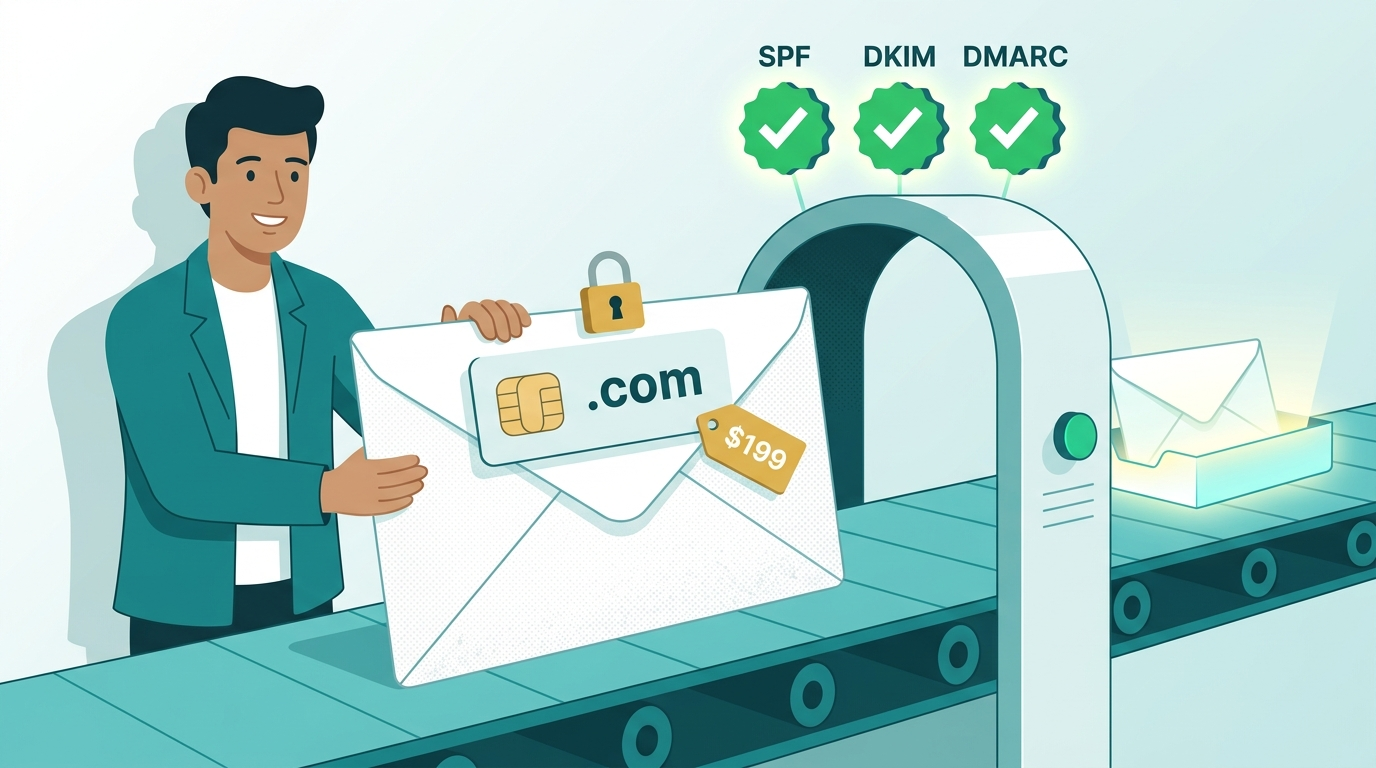
Once you own a clean domain, authentication is the non-negotiable technical layer. In 2026 this stopped being best practice and became a hard requirement: Google and Yahoo began enforcing authentication for bulk senders in February 2024, Microsoft followed in early 2025, and noncompliant messages are now increasingly rejected outright rather than merely filtered. Here's what each record does.
SPF — who is allowed to send
SPF (Sender Policy Framework) is a DNS record listing the servers and services authorized to send email using your domain. When a receiver gets a message claiming to be from you, it checks whether the sending server appears on your SPF list. If your email provider (Google Workspace, Microsoft 365, a sending platform like Postmark or Resend) isn't listed, the check fails. Setup is a single TXT record, usually copy-pasted from your provider's documentation.
DKIM — proof the message wasn't tampered with
DKIM (DomainKeys Identified Mail) adds a cryptographic signature to every message you send. Receivers use a public key published in your DNS to verify the signature, confirming the message genuinely came from your domain and wasn't altered in transit. In 2026, a 2048-bit key is the minimum acceptable standard — older 1024-bit keys are increasingly rejected. Your provider generates the key pair; you publish the public half as a DNS record.
DMARC — the policy that ties it together
DMARC (Domain-based Message Authentication, Reporting and Conformance) builds on SPF and DKIM. It does two jobs: it tells receiving servers what to do when authentication fails (none to monitor, quarantine to send to spam, reject to block), and it enforces alignment — the requirement that the domain in your visible "From" header matches the domain that passed SPF or DKIM. Alignment is the requirement most senders miss: you can have SPF and DKIM each passing individually and still fail DMARC if neither aligns with your From address. Start with a p=none monitoring policy, read the reports, then tighten to quarantine and reject once you're confident. The free dmarc.org overview explains the framework, and Postmark's free DMARC monitoring tool turns the raw reports into readable weekly summaries — a genuinely useful on-ramp.
| Record | What it proves | Setup effort | 2026 status |
|---|---|---|---|
| SPF | Which servers may send for you | One TXT record | Required (all senders) |
| DKIM | Message is authentic and unaltered | One key + DNS record | Required; 2048-bit minimum |
| DMARC | Policy + From-address alignment | One TXT record, staged | Required for bulk senders |
Google's own email sender guidelines spell out the thresholds: all senders need at least SPF or DKIM, bulk senders (more than 5,000 messages a day to Gmail) need all three plus one-click unsubscribe, and everyone should keep their spam-complaint rate — visible in Postmaster Tools — below 0.10% and never at or above 0.30%. Cross that 0.3% line and even a perfectly authenticated domain starts landing in spam.
Warming a new domain: reputation is earned, not configured
Authentication gets you eligible for the inbox; it doesn't get you trusted. Trust comes from warming — gradually building a track record of wanted mail so receivers learn your domain behaves legitimately. Blast 10,000 cold emails from a week-old domain and you'll torch its reputation no matter how clean your DNS is.
A sane warm-up looks like this:
- Start tiny and ramp gradually. Send to a small number of engaged, real recipients first — people who will actually open and reply. Increase volume over days and weeks, not hours.
- Prioritize engagement, not blast volume. Opens, replies, and messages dragged out of spam into the primary inbox are the strongest positive signals. A few genuinely wanted emails beat hundreds of ignored ones.
- Keep sending consistent. Erratic spikes look like compromise or abuse. Steady, predictable volume reads as a normal business.
- Watch your complaint rate obsessively. Stay under 0.1%. One bad send early can set the domain's reputation back weeks.
- Separate your streams. If you send both transactional mail (receipts, resets) and marketing, consider a subdomain for bulk sending so a marketing misstep doesn't poison your critical transactional deliverability.
Warming is where the clean-history advantage compounds. Starting from a neutral reputation means every good signal you generate moves the needle up. Starting from a damaged one means you're spending those same signals just climbing back to zero.
Your post-purchase deliverability checklist
Run this the day your domain transfers in — the transfer itself completes within 72 hours on a fixed-price marketplace, so you can start immediately. (New to transfers? Our EPP-code and transfer walkthrough covers the mechanics.)
- Confirm clean history. Check the Wayback Machine and a blocklist lookup before you rely on the domain for email. (On a vetted marketplace this is already handled.)
- Publish SPF. Add the TXT record from your email provider listing every service that sends for you.
- Enable DKIM. Generate a 2048-bit key and publish the DNS record.
- Deploy DMARC at
p=none. Start monitoring, then tighten toquarantineandreject. - Verify alignment. Confirm your From domain aligns with SPF or DKIM — this is the step people skip.
- Set up a custom sending address. A real
you@yourdomain.combeats a free webmail address for trust and is the credibility upgrade we cover in the agency and freelancer domain guide. - Warm gradually. Ramp volume over weeks, prioritizing engaged recipients.
- Monitor Postmaster Tools. Keep your spam rate under 0.1%.
Work through it in order and a brand-new domain reaches the inbox reliably within a few weeks.
The bottom line
Email deliverability isn't only a DNS problem you solve after launch — it's partly a purchasing decision you make before it. The technical layer is real and non-negotiable: SPF, DKIM, and DMARC with proper alignment, a disciplined warm-up, and a spam rate held under 0.1%. But you'll spend far less time fighting the spam folder if you start from the right domain: a short, clean, brandable name on a reputable extension, with a verified owner and a history you can actually see.
That's the quiet advantage of buying from a curated catalog instead of gambling on a random expired name. Browse clean, brandable domains or featured picks — every one $199 or less, owner-verified, screened for clean history, and ready to transfer within 72 hours so you can start warming your sender reputation today. For the naming style that reads as a real business before you've sent a single email, start with our companion guides on brandable domains and keyword domains.